Vendor ordering
One tap to every rep. No more late-night text chains.
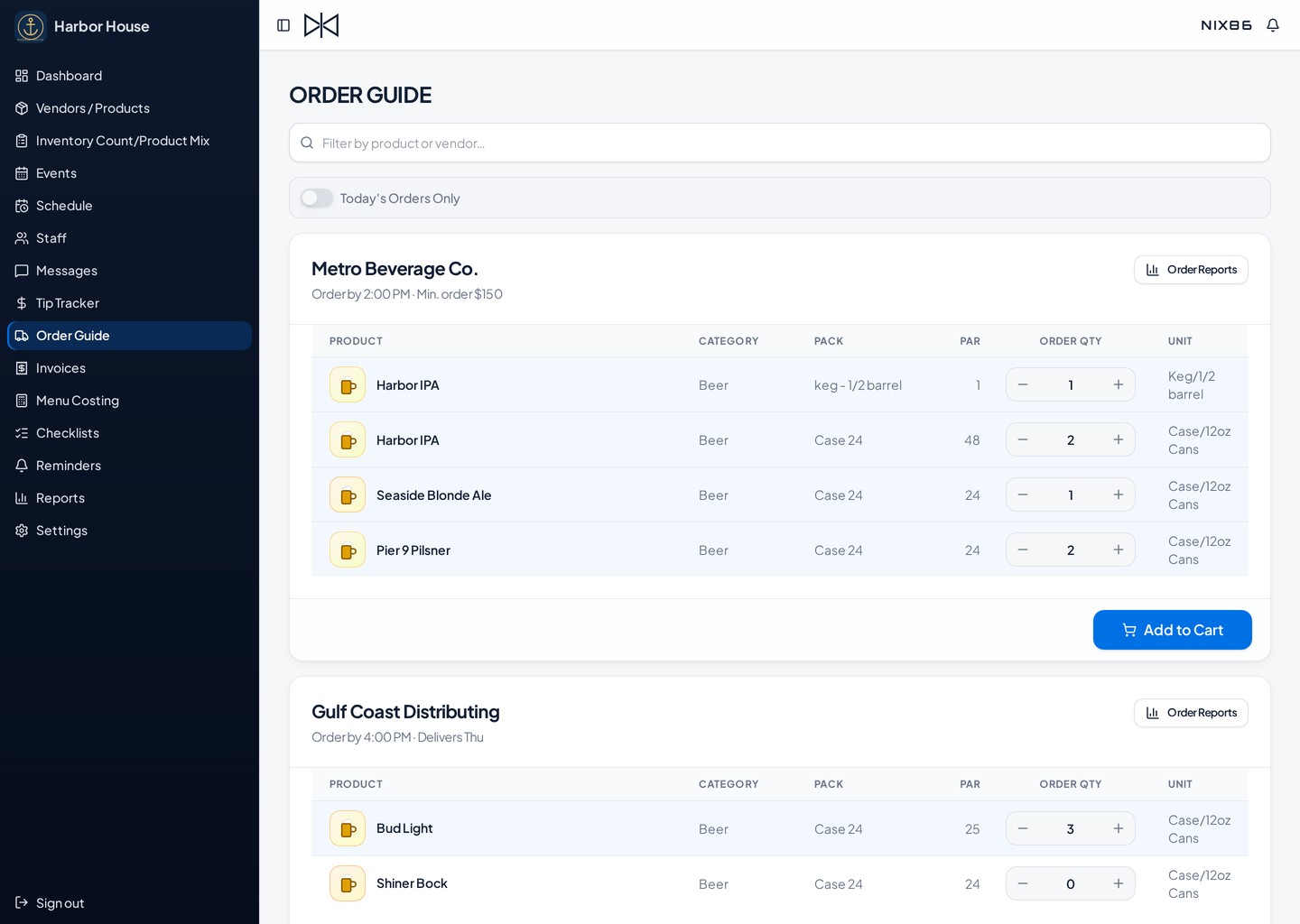
What's inside Vendor Ordering
Distributor Profiles
Save your vendor reps' direct contact info in one clean list that takes seconds to set up.
Delivery & Order Days
Set specific order deadlines for each supplier so you never miss a cutoff or get skipped on delivery day.
Custom Order Guides
Group your products under each distributor with their case prices, packaging sizes, and par levels.
Dashboard Reminders
Suppliers automatically pop up on your daily dashboard when it's time to order, keeping you on schedule.
Quick-Fill Sheets
Click any active vendor name to quickly type in your order counts right from the floor.
Direct Rep Routing
Hit submit to instantly blast your completed order straight to your supplier rep's inbox.
How it works
- 1
Add your vendors
Create each distributor and assign the items you buy from them.
- 2
Build the cart
Open the order guide, accept suggested quantities or adjust, and add to cart.
- 3
Send & receive
One tap sends the order. When it lands, mark it received and stock updates itself.
Make Monday orders a five-minute job.
Start your 45-day free trial. No credit card required.