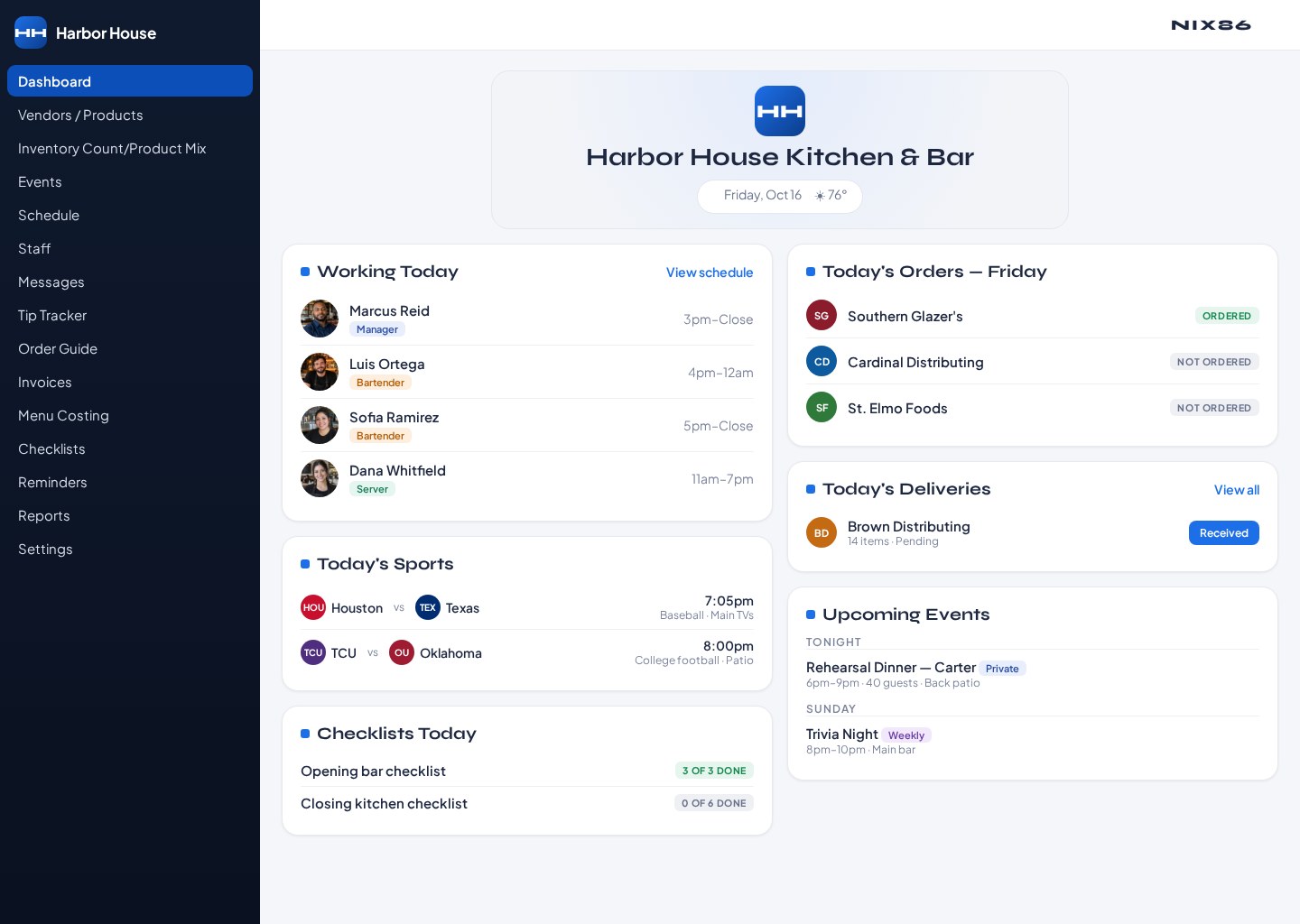
What's inside Custom Dashboard
Today's Orders
See which vendors are due today and what's already been ordered, with a direct link into the order guide.
Today's Deliveries
Track what's arriving as it comes in the door, and mark an order received so your inventory count stays current.
Staff Working Today
Who's on shift and in what position, so the day starts without hunting through the schedule.
Events & Big Games
The week's confirmed events and the major televised games your venue is staffed for, right where you can see them.
Checklists & Reminders
Open daily tasks and dated reminders so nothing gets dropped between the morning and the rush.
Comments Notepad
Leave a note for the next shift, read the last one before service, and keep the whole crew on the same page.
How it works
- 1
Switch on what you use
In Settings, turn the widgets you actually look at on and the ones you don't off.
- 2
Drag it into place
Move any widget up, down, or between the two columns until the screen reads the way your day does.
- 3
It's there tomorrow
Your layout is saved on that computer or tablet, so the dashboard opens the same way every shift.
One screen for the whole day.
Start your 45-day free trial and set up the dashboard your venue actually needs.